KeepArc Plus is currently included for everyone through September 30, 2026. Download KeepArc and use the full feature set during the launch period.
Keep your Mac active, your way
Stay active without babysitting your Mac.
KeepArc waits until you are truly away, then nudges the cursor using rules you choose. It runs locally on your Mac, stays easy to understand, and gives you real stop conditions instead of a blind on and off switch.
Capabilities
More than a mouse jiggler.
Real idle detection, on-demand screen locking, and smart stop rules for battery, Wi-Fi, and schedules - KeepArc covers the complete automation loop.
Tune your timing
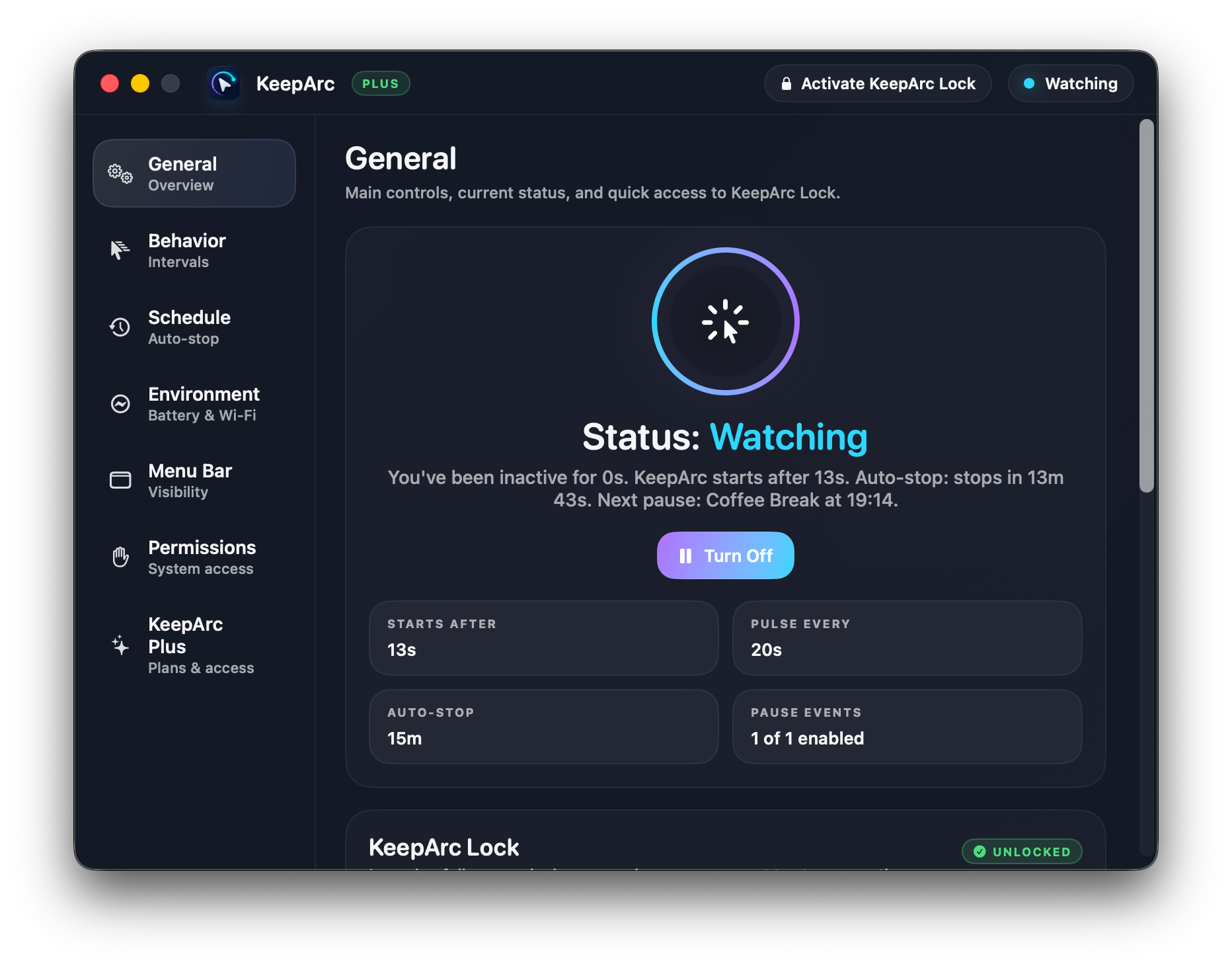
Choose how long KeepArc waits after your last real input, how often it checks for inactivity, and how often each pulse repeats.
Plan your whole day
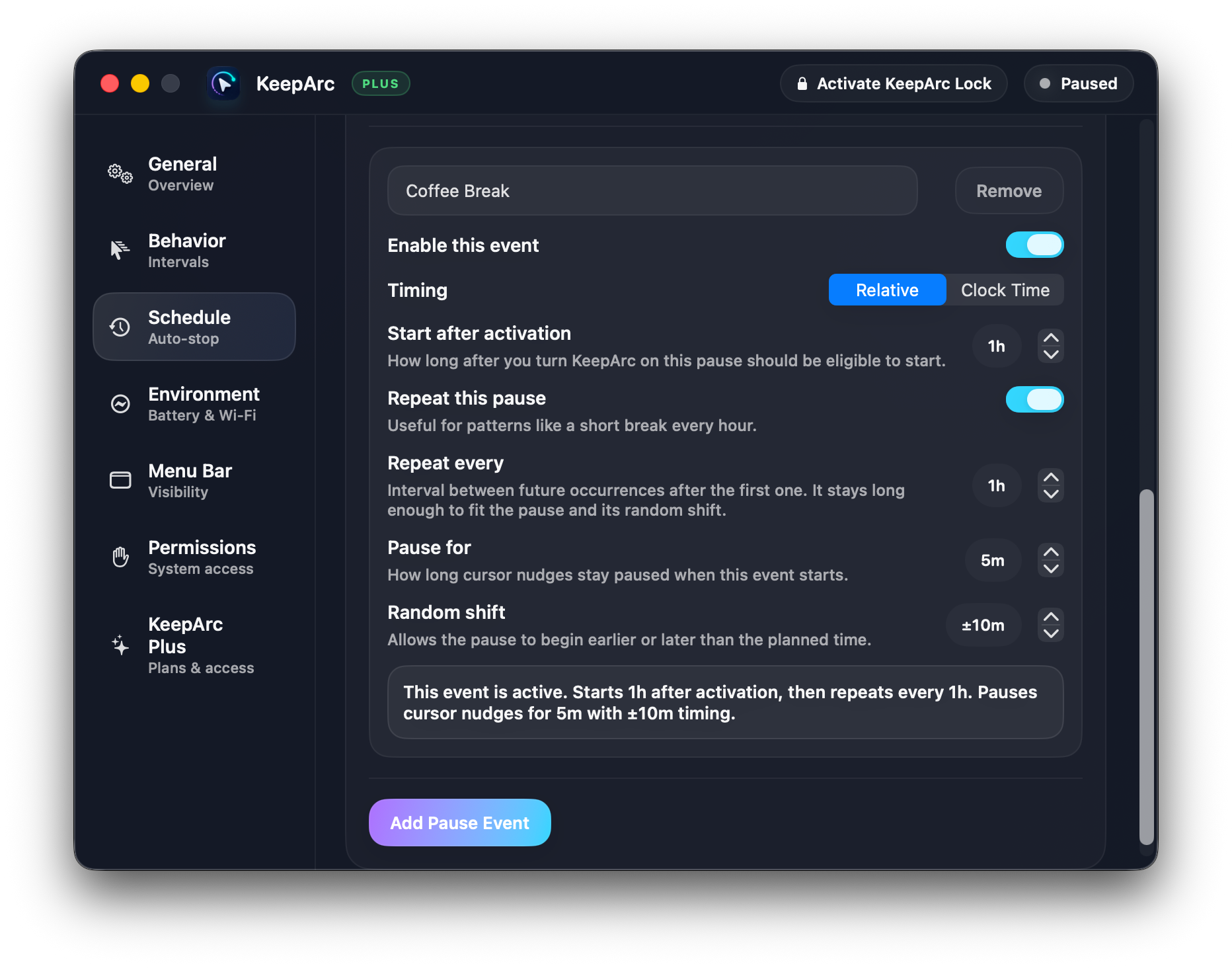
Stop after a quick preset, a custom duration up to 12 hours, or a specific clock time. Schedule recurring pauses with random offsets - coffee breaks, lunch, or any rhythm of your day.
KeepArc Lock
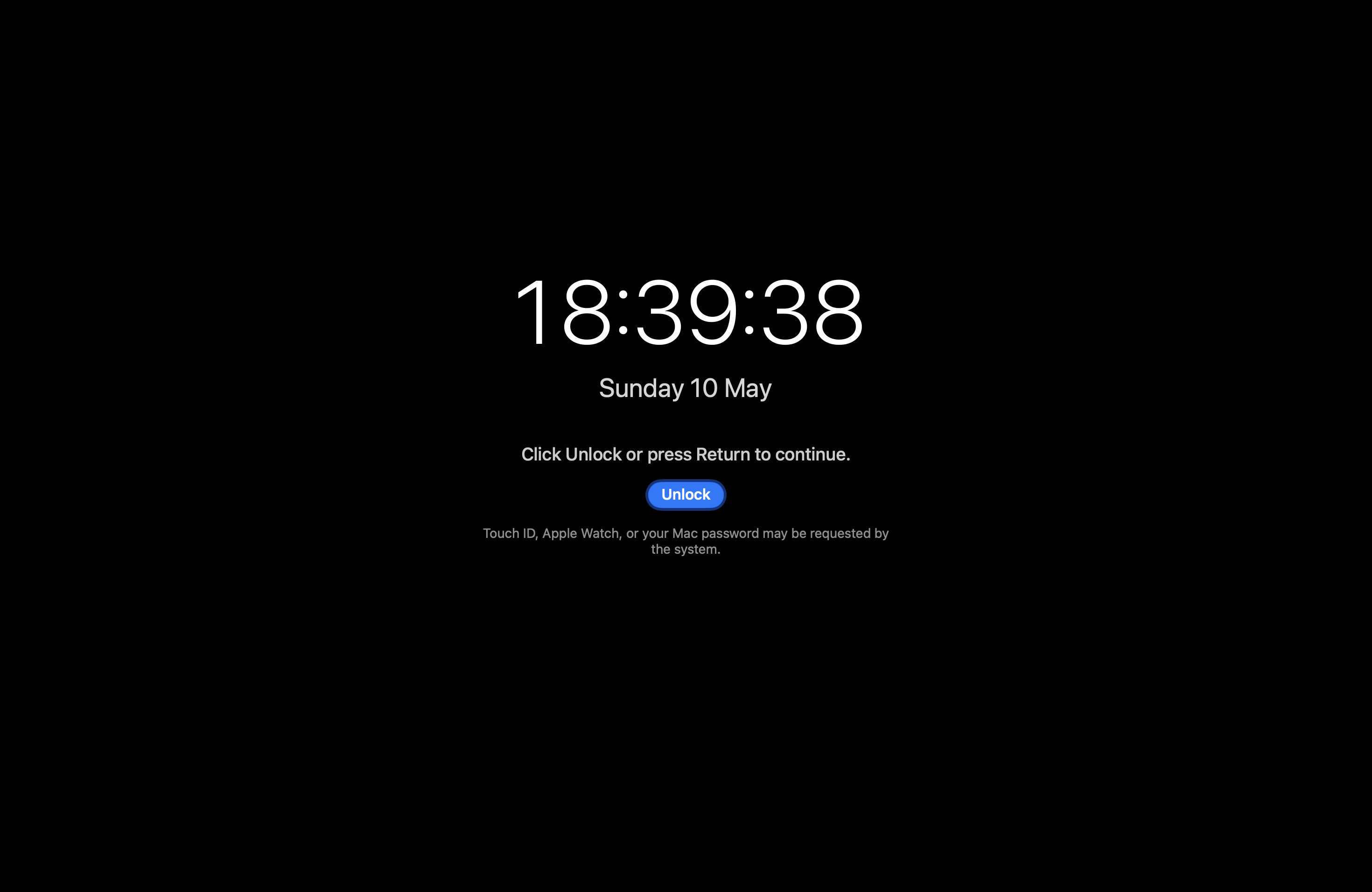
Show as Available to your team while keeping your Mac private from coworkers, kids, or anyone walking by. KeepArc Lock covers the screen without a system lock, so your VPN and active sessions keep running.
Stays out of screen shares
Hide the menu bar icon during a call, so what's running stays your business - even when you share your screen.
Selected Wi-Fi networks
Limit KeepArc to the networks you choose - useful if you only want it active in certain places, like your home Wi-Fi on home-office days.
Battery protection
Pause automatically when your Mac is unplugged and the battery drops below the level you choose.
Gentle cursor movement
Pick exactly how far the cursor moves each time, so the app behaves the way you expect instead of relying on a fixed nudge.
Permissions tied to features you use
Accessibility for cursor movement. Location only when you opt into selected Wi-Fi networks. Nothing requested upfront.
Also included
More controls already built into KeepArc.
Beyond the core idle, timing, battery, Wi-Fi, and privacy features above, KeepArc includes remote access and several macOS integrations that are easy to miss at first.
Remote access from another device
With KeepArc Plus, open a share link or scan a QR code on your phone, tablet, or another computer. Remote stays off until you enable it, and every new browser must be approved on your Mac before it can connect.
Useful controls in the browser
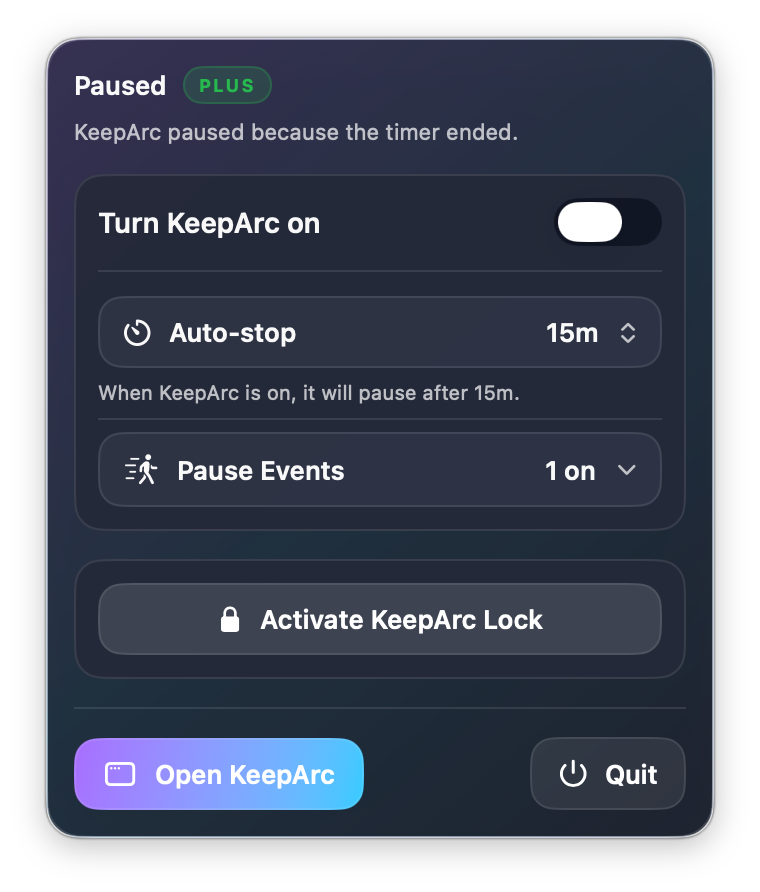
Turn KeepArc on or off, change auto-stop, toggle saved Pause Events, activate KeepArc Lock, lock macOS, turn the displays off, mute sound, or run only the Apple Shortcuts you explicitly allow.
Encrypted sessions and live status
Remote sessions are end-to-end encrypted after approval. The browser can show KeepArc state, battery and charging status, CPU use, sound, auto-stop, and upcoming pauses. You can remember trusted browsers, remove them later, or use your own compatible Remote host.
Launch at login and global shortcuts
Start KeepArc automatically when you sign in to macOS. Custom system-wide keyboard shortcuts can open KeepArc or activate KeepArc Lock even when another app is in front.
Up to five detailed Pause Events
Create named pauses that start after activation or at a clock time. Each event can repeat, use its own pause duration, and shift earlier or later by a controlled random offset.
More than screen-share detection
Visibility automation can also react when macOS shows camera, microphone, or call activity. You choose whether KeepArc hides its menu bar icon and how often it checks.
Menu bar hiding with a way back
Hide the menu bar icon manually, keep KeepArc in the Dock all the time, or let it add a Dock fallback when it cannot confirm that the menu bar icon is visible. The global shortcut remains another way back.
Update checks inside the app
See the installed KeepArc version and check for a newer release directly from the General section, without searching the website first.
Pricing
Start with the full experience now. Choose Plus later if you want deeper control.
During launch, KeepArc Plus is included for everyone through September 30, 2026. After that, Free keeps the core workflow intact and Plus remains the one-time upgrade for people who want more automation, more safeguards and more control.
KeepArc Free
€0
The core experience — set your timing, hit start, get on with your day.
- Real idle detection — nudges only after you've actually stepped away
- Tune the idle wait, pulse timing, and cursor distance
- Auto-stop presets from 15 minutes to 4 hours
- Optional Dock access alongside the menu bar app
KeepArc Plus
€0 €4.99
Free until Sep 30, 2026
One-time upgrade for tighter rules, smarter stops, and full screen privacy.
- Custom auto-stop up to 12 hours, or stop at a specific time
- Scheduled pauses with random offsets (coffee breaks, lunch, …)
- Pause on low battery, run only on chosen Wi-Fi (like home for remote days)
- Hide the menu bar icon during screen shares
- KeepArc Lock — cover the screen without dropping VPN or sessions
Launch access
KeepArc Plus is currently unlocked for everyone through September 30, 2026.
Download KeepArc, use the full feature set, and decide later whether KeepArc belongs in your everyday setup. When paid activation goes live, the core experience stays free and Plus remains a one-time upgrade. No subscription is planned.
How it works
Three quick steps, then KeepArc stays out of your way.
-
1
Set your timing
Pick how long KeepArc waits before it kicks in, how often it nudges the cursor, and how far each nudge moves.
-
2
Add your stop rules
Optional auto-stop on a timer or clock, pause on low battery, or only run on chosen Wi-Fi (like home for remote days).
-
3
Walk away
KeepArc takes over from the menu bar and stops the moment you're back at the keyboard.
What you can set
- Idle wait before nudges begin
- How often inactivity is checked
- How often each nudge repeats
- Cursor distance per nudge (in pixels)
- Auto-stop after a duration or at a clock time
- Sleep the Mac when auto-stop ends
- Scheduled pauses with random offsets (coffee breaks, lunch, …)
- Low battery threshold while unplugged
- Wi-Fi networks where KeepArc auto-activates
- Hide the menu bar icon during screen shares
A look inside
See KeepArc on your Mac.
From the settings window to the menu bar and KeepArc Lock — tap any screenshot to open it full-size.
Privacy and constraints
Private by default. Extra permissions only when a feature needs them.
All data stays on your Mac
Your settings, schedules, and Wi-Fi list live in your local macOS preferences. KeepArc never sends activity, status, or telemetry off your device.
Only sees system idle state
KeepArc reads how long since your last keyboard or trackpad input — that's it. It can't see what app you're using, what's on screen, or what you type.
Permissions tied to features
Accessibility lets KeepArc move the cursor. Location is requested only when you turn on the Wi-Fi rule. Nothing else asked.
KeepArc Lock
Step away without shutting everything down.
KeepArc Lock gives you a clean full-screen cover when you leave your desk briefly. It is useful when you want a visible barrier without forcing the whole Mac into the built-in lock screen every time.
Cover the screen and keep your session running.
It is a practical middle ground for short breaks, when you want a clear screen cover without interrupting the rest of your work more than necessary.
Better for quick interruptions
Your apps, calls, VPN sessions and ongoing work can usually stay as they are while the screen is covered.
Useful around other people
It works well at home, in shared offices, or anywhere curious hands and eyes are nearby while you step away.
Clear security boundary
KeepArc Lock helps with day-to-day privacy, but it is not a replacement for the built-in macOS lock screen when you need full system security.
FAQ
Questions people usually ask before they download.
Is KeepArc Plus included right now?
Yes. KeepArc Plus is included for everyone through September 30, 2026.
Will KeepArc require a subscription?
No. KeepArc Plus is planned as a one-time purchase, while the core workflow stays available in Free.
Will KeepArc move the cursor while I'm working?
No. It only nudges the cursor after the inactivity period you set, and stops the moment you touch the keyboard or trackpad again.
Does it work with Teams, Slack, Zoom, and similar apps?
Yes. KeepArc keeps your Mac out of system idle state, so any app that reads your idle status (Teams, Slack, Zoom, Webex, …) sees you as Available.
Can it stop itself automatically?
Yes. KeepArc can stop after a duration, at a clock time, and can optionally put the Mac to sleep when auto-stop expires.
Is KeepArc Lock the macOS lock screen?
No. It's a full-screen cover that keeps your Mac online — your VPN, sessions, and presence keep running, unlike a system lock.
Will there still be a free version later?
Yes. The plan is for Free to keep the core experience, while Plus remains the upgrade for deeper control and automation.
Download
Download KeepArc for macOS.
KeepArc installs as a lightweight menu bar app. During launch, KeepArc Plus is already included through September 30, 2026, so you can try the full experience before paid activation goes live.
Version 1.13 · Released September 8, 2026
Universal build for Apple Silicon and Intel · Requires macOS 13 Ventura or later.